


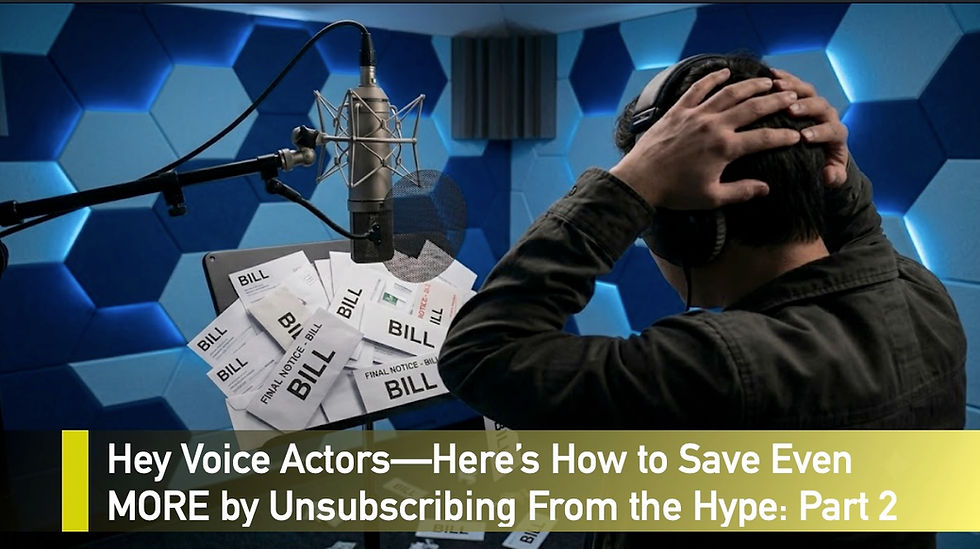
Hey Voice Actors—Here’s How to Save Even More Money by Unsubscribing From the Hype: Part 2
When I dropped Part 1 of this series last week, the response was overwhelming. Most of you were incredibly relieved to hear an audio engineer give you permission to stop burning cash on unnecessary software.
Let's look at the broader landscape of our industry. A quick look at LinkedIn shows well over 180,000 people listing "Voice Actor" in their profile. The reality is that the vast majority of those folks are not making a full-time living on VO yet. They are hustling, learning, and trying to build a business. Unfortunately, standard industry advice and social media circles are not serving these actors' bottom lines. Instead, they overwhelm them with a premium checklist of things they must buy to be considered "professional."
A while back, a voice actor came to me for a consultation to tweak her home setup. She was paying $30 a month for Adobe Audition, $35 a month for Source-Connect, maintaining her own paid Zoom account, and laying out serious cash for completely inappropriate preset processing chains. Impressed by her digital arsenal, I asked her how often she was currently booking. She looked at me and said, "Never—I'm still new." She then added that as a retiree, she was on a strict fixed income.
Nobody along the way had stopped to explain to her that it was wildly premature to buy Source-Connect, or that a complex plugin chain is completely irrelevant to a casting director. That 30-minute session instantly saved her over $100 a month moving forward.
Just recently, I had another consultation with a talent who was paying $9.99 a month for a Pro Tools Artist subscription. She was completely unaware that Avid offers a version called Pro Tools Intro that is 100% free and has more than enough track count and editing power for standard voiceover auditions and jobs. That quick appointment instantly rolled back an annual, recurring expense she didn't need to be paying.
I see this constantly. I host a Connection Clinic small group class where we drill remote connectivity workflows. During a recent clinic, an actor casually mentioned he’d been paying for Source-Connect every month for five years and had needed it exactly once.

Your professional worth is not measured by how high your software bill is, and you shouldn't be taxed by a tech giant just to sit in the game. Let’s step out of the booth and look at a few more digital business traps where you can instantly claw your hard-earned money back. Let's continue where we left off in Part 1....

4. Digital Storage: Stop Paying to Host Air (Savings: $300 - $600+ per year)
Unless you are archiving raw multitrack music sessions, uncompressed 24-bit VO files simply do not require three parallel cloud ecosystems. If you’re a newcomer—or looking to shave down the voice actor grind budget—you don't need to pay a monthly "tax" to move audio. Think of the cloud as a temporary pipe, not a permanent digital attic.
If you want to build a zero-dollar media workflow that keeps your money in your pocket, check out these free delivery alternatives:
Frame.io (The Industry Staple): Instead of dumping files into a clunky Dropbox folder, pivot to a free Frame.io account. Their free tier gives you 2 GB of active space where clients can stream your audio and type precision, time-coded notes directly onto the visual timeline. Or simply download your files.
WeTransfer (The Free Tier): Yes, the free tier doesn’t give you custom background branding… but literally no one cares. Your clients just want the files. The free tier gives you a generous 3 GB per transfer window, which is more than enough for the vast majority of voice sessions.
Apple Mail Drop & iCloud: If you are on a Mac, Apple Mail has a built-in feature called Mail Drop that lets you send files up to 5 GB per email completely free. It bypasses standard email size limits by generating a dead-simple download link right in the message without touching your personal iCloud storage quota. It stays active for 30 days and works perfectly for clients on any operating system.
Source Elements Recorder: Are you simply running takes to send to a client quickly? Check out the brand-new Recorder option from Source Elements. It handles high-quality audio capture and sharing perfectly for zero cost, bypassing the need for a third-party file transfer service altogether when you just need to pass a quick read along.
The Bottom Line: For long-term archiving, buy a physical external hard drive for a one-time fee and stop paying a tech giant a recurring fee to hold onto files from three years ago. Keep your cloud space lean, use the free pipes to move your active projects, and put that subscription cash back into your business.
5. Email Signatures: Ditch the Paid Vanity Generators (Savings: $70 - $140+ per year)
Another sneaky line item bleeding independent talent dry is the paid email signature generator. Platforms that promise to make your emails look "corporate-ready" love to charge a subscription—often anywhere from $6 to $12 a month—just to host a clickable icon and a JPEG of your headshot.
Paying roughly $100 a year just to display your phone number and website link at the bottom of an audition delivery is an entirely manufactured expense.
You do not need a paid service to have a sleek, professional sign-off. Your email provider (whether you use Mac Mail, Outlook, or Gmail) has a robust, built-in signature editor completely free. You can design a beautiful, minimalist layout, insert clean text links to your voiceover demo and website, and even paste in an image without paying a dime.
Keep it simple, eliminate the vanity app tax, and let your audio do the talking.
6. Utility Check: Roll Back the Clock on Your Internet Bill (Savings: $240 - $600 per year)
While you are auditing your digital line items, take a hard look at your monthly internet plan. Cable and fiber providers have a notorious habit of stealthily creeping up their prices over time. A dollar here and five dollars there, and suddenly you are paying double what you signed up for.
Yes, as a voice actor, you absolutely need a speedy, solid, and rock-reliable internet connection for directed remote sessions. But that doesn’t mean you should be overpaying for it.
Take a quick look at your latest statement and scan the horizon for better local deals. Even if you have no intention of switching providers, finding a lower competitor rate gives you all the leverage you need. Pick up the phone, call your current provider, and ask firmly to be transferred to their retention department. Let them know you've noticed the price creep and are looking at cheaper alternatives. More often than not, they will suddenly "find" a promotion that rolls back the clock n your bill, saving you an easy $20 to $50 a month just for making a phone call.
The Big Picture: Vet Your Sources
As we wrap up this two-part audit, I want to leave you with one vital piece of advice: always vet your sources.
The voiceover ecosystem is full of self-proclaimed "marketing experts" who love to hand out expensive setup advice. But a lot of those guidelines run entirely counter to what actual, corporate marketing professionals and audio producers will tell you. Remember, a platform's primary interest is keeping you subscribed to that platform. They want you to believe that their specific paid tier is the only bridge between you and a successful career.
If you add up the baseline changes from both Part 1 and Part 2, the math is staggering. By cleaning out the software closet, switching to free or as-needed utilities, and adjusting your bills, you can easily save between $1,600 and $2,300+ every single year. Put that money toward a vacation- because we all know the best way to book a job is to plan a vacation!
If you are currently in a position where you need to stop hemorrhaging cash to support a voice acting business that hasn’t demonstrated consistent financial results yet, make these cuts today. If down the road your booking volume changes and you need to adjust your tools, do it then. But as you streamline your workflow, you might just find that you never needed those premium subscriptions in the first place.
Keep your audio clean, keep your overhead low, and keep your money in your bank account.

Frank Verderosa is an award-winning audio engineer and voiceover casting director with decades of industry experience. As the owner of POV Audio, he casts, sound-designs, and mixes television, radio, and promo campaigns for leading ad agencies and networks. Outside the studio, Frank supports the voice actor community through coaching, consulting, and demo production for talent at every level. To connect or learn more, visit www.frankverderosa.com and use the chat tab or explore the Voice Actor Services section.


Frank, you are the king, the guru, the god of no b.s. (if I can say that here, I mean abbreviate it).
Really strong, and...who knew? Now...go ahead and address the coaching thing and I do not mean YOU. Classes, privates, do your demo with me and only me, coach with my method, and spend thousands...and, at the end of the day, everyone has a different take on your sound, your booth, your equipment, your demos, your CRM and how you outreach, and ultimately...your audition. It's a mad, mad, mad, mad world. The count is 180,000 on LI? Yikes. I thought we were one million on Voices? (Correct me, pls?) What's your erudite opinion on all of this. You are…
More timely, useful tips! I look forward to your next Connection Clinic so that I can learn even more. You are much appreciated!👍
Thank you for this and all you do for Voice artists!